.png.022b5452a8f28f552bc9430097a16da2.png)


I Solved the debug error by following this post:
and I solved the Dashboard/Module config errors by downloading a fresh copy of prestashop 8.1.6 and replaced the Jquery file in js/jquery/jquery-3.5.1.min.js
Hi, I've been having weird issues with the backend ever since fixing the site being down, I've been trying to fix it for a while and if anyone can help I'd very much appreciate it.
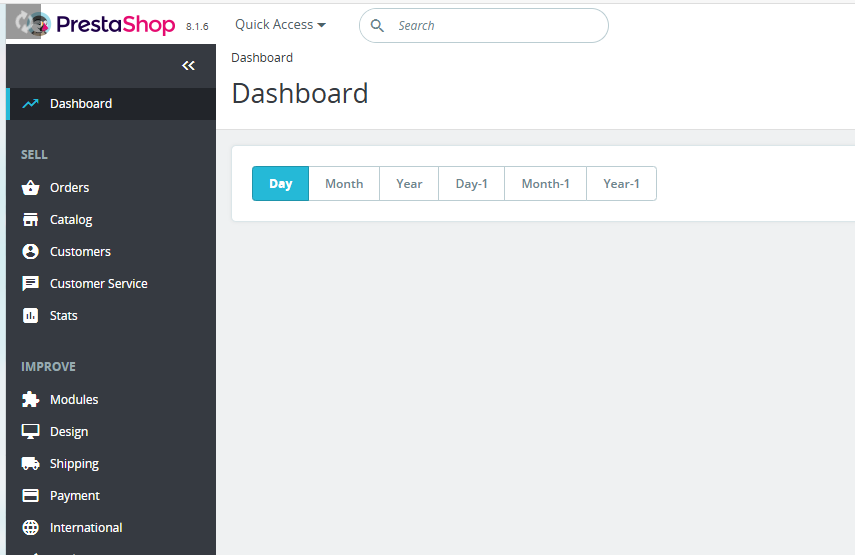
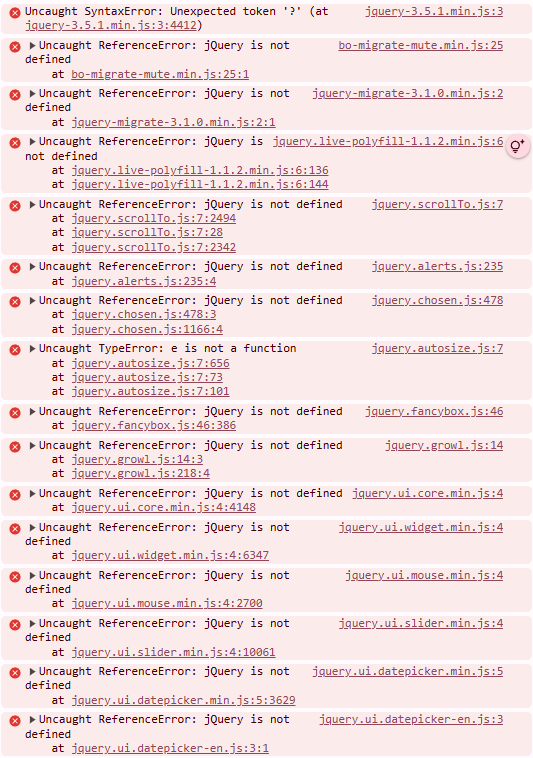
I'm using Prestashop 8.1.6, and I'm suddenly having a problem with configuring my modules, it seems most modules have non-responsive buttons, and my Dashboard has no information on it. On the Dashboard and the modules screen the Prestashop loading icon is stuck loading and never goes away like it does on other screen, and the console shows various different errors on both the dashboard and the module configuration pages.
The specific issues I'm having include:
-Trying to add, remove, or move items in my top horizontal menu module
-Trying to switch to different tabs on any module config
-Attempting to disable module's has no effect on the front end (Even after cache clear.)
-No information on the Dashboard
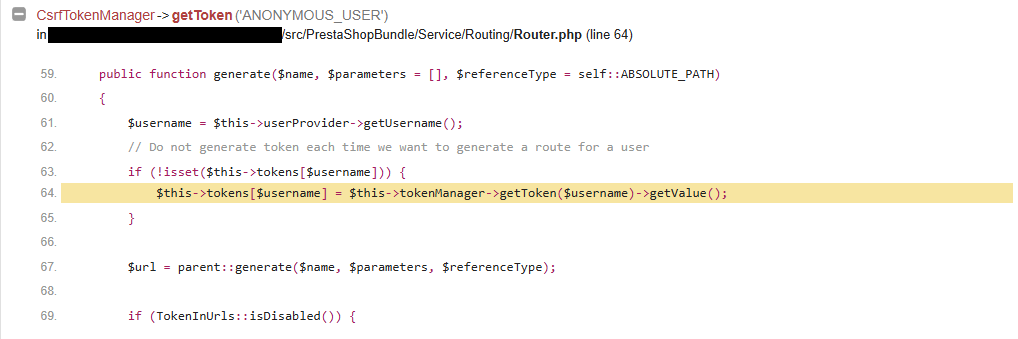
-Debug mode immediately shows a "username" error before I go to any particular page in the backend (Image shared). I have to disable it through the file browser after this.
-Other weird issues like modules not disabling the first few times or not updating until I've tried several times.
The issue seemed to start when I woke up to my site being down and I contacted my host provider and did various steps to eventually fix the issue, the only notable thing I did on my end was update all my modules, but I've tried disabling many different modules and it didn't seem to fix the issue, so I thought there must be better way to try and pinpoint the issue rather than randomly taking shots in the dark.
What I've tried:
- Different Browsers (Chrome, Edge, Vivaldi)
- Disabling new or unused modules
- Replacing my top horizontal menu module with a fresh isntall via the server file browser
- Emptying Cache
- Updating all other out of date modules until the list was clear'
And I don't know if if it's related but I'm also having FTP issues where it claims the Disk is full when it is not, and I've contacted my host provider about this issue and they are looking into it.
I shared a picture of my dashboard with the loading symbol in the top left that won't go away, a picture of about half the error logs that show up on every page that has that same loading icon or page issues, and the error I get attempting to enter debug mode.