Hi,
I have managed to change the currency successfully following these steps:
1. Add EUR as a new currency.
2. Set the correct conversion rate between BGN and EUR. PrestaShop will calculate prices automatically based on that rate. (optional, even if you don't do it when switch off BGN, the prices will remain the same w/out change )
3. Set EUR as the default shop currency.
4.Disable BGN.
You will see that after these steps, the prices will remain the same as they were, but in the new currency EUR.
5. Than you need to execute the following SQL queries:
-- Convert base product prices from BGN to EUR
UPDATE ps_product
SET
  price = ROUND(price / 1.95583, 2),
  wholesale_price = ROUND(wholesale_price / 1.95583, 2);
Convert shop-scoped prices (used even in single-shop installs)
UPDATE ps_product_shop
SET
  price = ROUND(price / 1.95583, 2),
  wholesale_price = ROUND(wholesale_price / 1.95583, 2);
Now, everything should be ok.
I realized that you need also to make two additional steps:
6. Change the prices of the transport!
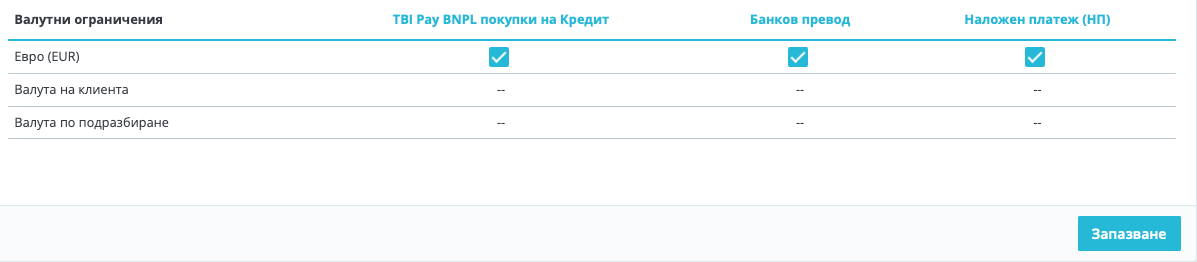
7. Payment methods -> Settings:
These were unchecked and I had to check them, because the currency was changed.