Jump to content

Edit History

martinvilla

martinvilla

On 8/25/2025 at 5:23 PM, rhandom said:

How to update `robots.txt`? Seems Prestashop manages this itself

robots.txt was overwritten this morning and I see

# robots.txt automatically generated by PrestaShop e-commerce open-source solution
# http://www.prestashop.com - http://www.prestashop.com/forums
# This file is to prevent the crawling and indexing of certain parts
# of your site by web crawlers and spiders run by sites like Yahoo!
# and Google. By telling these "robots" where not to go on your site,
# you save bandwidth and server resources.
# For more information about the robots.txt standard, see:
# http://www.robotstxt.org/robotstxt.html
User-agent: *
# Allow Directives
...

So how to add the following rule directly into the robots.txt file at the root of the site:

User-agent: OAI-SearchBot
Allow: /

This change should be safe, it doesn’t affect the security of the site, and it will significantly improve the site’s chances of appearing in new AI-driven search results.

Screenshot 2025-08-25 at 19.23.07.png

I have the same question and I’m running into this exact issue with PrestaShop. Every time I try to modify robots.txt manually, it seems to get overwritten automatically. I also want to add a custom rule for a specific user agent, but it’s unclear where PrestaShop expects these changes to be made. From what I can tell, editing the file directly at the root isn’t reliable. I’m wondering if there’s a setting in the back office or a config file where this should be defined instead. If anyone knows the correct way to make this change persist, I’d really appreciate the guidance.

martinvilla

martinvilla

On 8/25/2025 at 5:23 PM, rhandom said:

How to update `robots.txt`? Seems Prestashop manages this itself

robots.txt was overwritten this morning and I see

# robots.txt automatically generated by PrestaShop e-commerce open-source solution
# http://www.prestashop.com - http://www.prestashop.com/forums
# This file is to prevent the crawling and indexing of certain parts
# of your site by web crawlers and spiders run by sites like Yahoo!
# and Google. By telling these "robots" where not to go on your site,
# you save bandwidth and server resources.
# For more information about the robots.txt standard, see:
# http://www.robotstxt.org/robotstxt.html
User-agent: *
# Allow Directives
...

So how to add the following rule directly into the robots.txt file at the root of the site:

User-agent: OAI-SearchBot
Allow: /

This change should be safe, it doesn’t affect the security of the site, and it will significantly improve the culver menu prices site’s chances of appearing in new AI-driven search results.

Screenshot 2025-08-25 at 19.23.07.png

I have the same question and I’m running into this exact issue with PrestaShop. Every time I try to modify robots.txt manually, it seems to get overwritten automatically. I also want to add a custom rule for a specific user agent, but it’s unclear where PrestaShop expects these changes to be made. From what I can tell, editing the file directly at the root isn’t reliable. I’m wondering if there’s a setting in the back office or a config file where this should be defined instead. If anyone knows the correct way to make this change persist, I’d really appreciate the guidance.

martinvilla

martinvilla

On 8/25/2025 at 5:23 PM, rhandom said:

How to update `robots.txt`? Seems Prestashop manages this itself

robots.txt was overwritten this morning and I see

# robots.txt automatically generated by PrestaShop e-commerce open-source solution
# http://www.prestashop.com - http://www.prestashop.com/forums
# This file is to prevent the crawling and indexing of certain parts
# of your site by web crawlers and spiders run by sites like Yahoo!
# and Google. By telling these "robots" where not to go on your site,
# you save bandwidth and server resources.
# For more information about the robots.txt standard, see:
# http://www.robotstxt.org/robotstxt.html
User-agent: *
# Allow Directives
...

So how to add the following rule directly into the robots.txt file at the root of the site:

User-agent: OAI-SearchBot
Allow: /

This change should be safe, it doesn’t affect the security of the site, and it will significantly improve the site’s chances of appearing in new AI-driven search results.

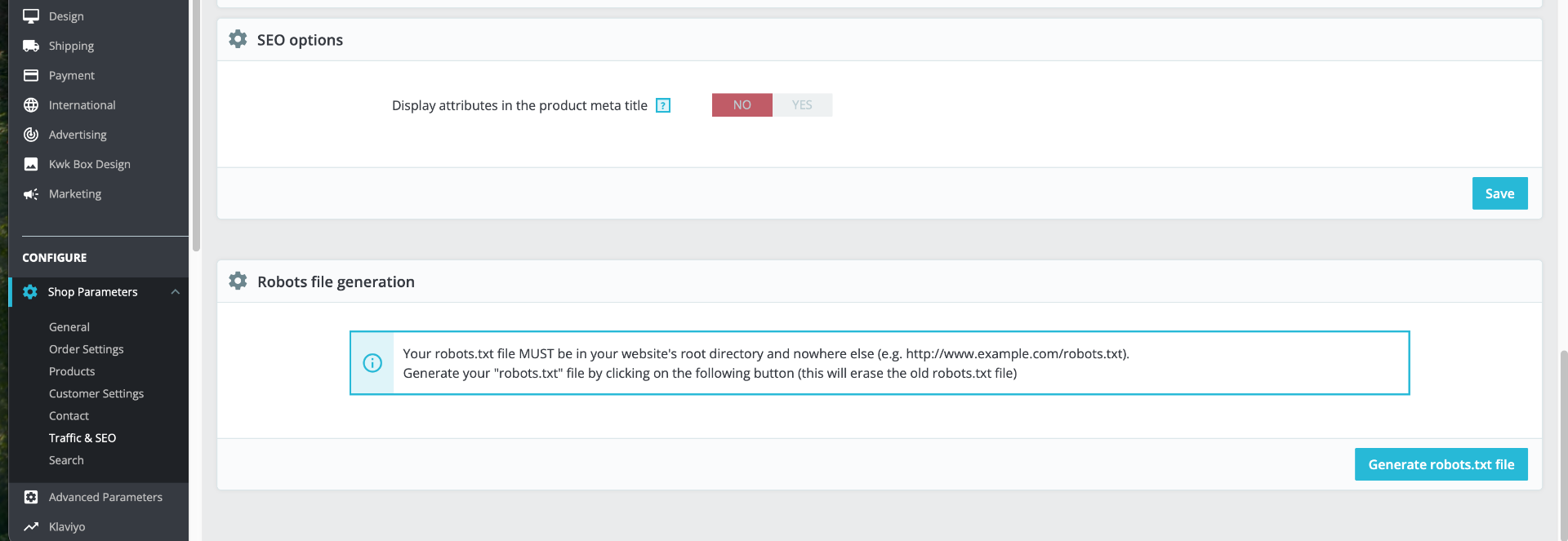
Screenshot 2025-08-25 at 19.23.07.png

I have the same question and I’m running into this exact issue with PrestaShop. Every time I try to modify robots.txt manually, it seems to get overwritten automatically. I also want to add a custom rule for a specific user agent, but it’s unclear where PrestaShop expects these changes to be made. From what I can tell, editing the file directly at the root isn’t reliable. I’m wondering if there’s a setting in the back office or a config file where this should be defined instead. If anyone knows the correct way to make this change persist, I’d really appreciate the guidance.

×
×
  • Create New...