Jump to content

Edit History

marcos86

marcos86

Hi, due to some management issues I had to change the email of the Prestahop account, followed this guide:

https://help-center.prestashop.com/hc/en-us/articles/9643247534994-Modify-the-e-mail-address-of-your-PrestaShop-account


but after doing so I noticed that in some my Prestashop pages shop the email is still the old one, as in the extension panels: https://addons.prestashop.com/en/products-on-facebook-social-networks/50291-prestashop-social-with-facebook-instagram.html


in this panel (allegate) I view the old email, I tried resetting the extension, reinstalling it and clearing the cache but the old one still remains, what should I do to view the new email?
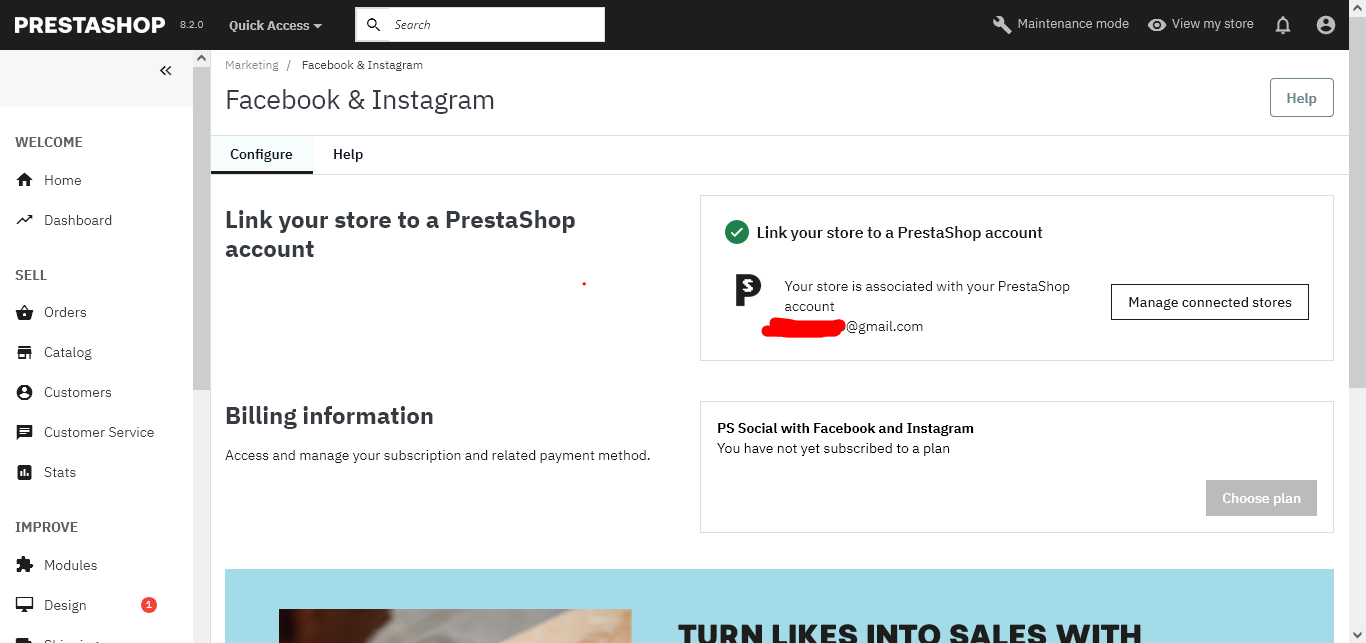
Facebook-Instagram-•-test.png

marcos86

marcos86

Hi, due to some management issues I had to change the email of the Prestahop account, followed this guide:

https://help-center.prestashop.com/hc/en-us/articles/9643247534994-Modify-the-e-mail-address-of-your-PrestaShop-account


but after doing so I noticed that in some my Prestashop pages shop the email is still the old one, as in the extension panels: https://addons.prestashop.com/en/products-on-facebook-social-networks/50291-prestashop-social-with-facebook-instagram.html


in this panel (allegate) I view the old email, I tried resetting the extension, reinstalling it and clearing the cache but the old one still remains, what should I do to view the new email?

Facebook-Instagram-•-test.png

×
×
  • Create New...