Jump to content

Edit History

knut4shop

knut4shop


additional information

Hi @ll,

I have a copy from my production environment for testing upgrades. Once, i have upgraded my test-shop to version 1.7.7.5 i noticed, that i can't use my modul manager. I can't install a modul or connect to to market place, the buttons seams to be inactive. Also the modul search bar does not work. Additional, modul update messages will also not displayed.

If i try to reset or activate a module, the browser opens a new tab with json-formated output like:

Quote

{"<Modul_Name>":{"status":true,"msg":"Aktion Reset beim Modul <Modul_Name> war .","module_name":"<Modul_Name>","is_configurable":true,"action_menu_html":" \u003Cdiv class=\u0022btn-group module-actions\u0022\u003E\n 

....

}}


I also tried to analyze the issue with debugger, but there are no error messages displayed. Finally, i desided to start from new and begins with the smallest upgrade version next from 1.7.6.9 (1.7.7.0 stable). After database upgrade (1.7.6.9 -> 1.7.7.0), i get an Error-Message. I have attached the xml-result-file, but i can't find an error. According to the XML-File, all changes to database where succesfull. The output message informed, there was an error on line 996 but this line is empty. 

I ignored this information an logon to my backend and see, the result is the same. So, in my opinion it must be an issue with version 1.7.7.0 on my site.  On the Modul-Manager-Site I have noticed that the "spinner" does not load. The Web Console reports th follwing error:

default.js?1.7.7.0:7 Uncaught TypeError: $(...).tooltip is not a function
    at HTMLDocument.<anonymous> (default.js?1.7.7.0:7)
    at j (jquery.min.js:2)
    at Object.fireWith [as resolveWith] (jquery.min.js:2)
    at Function.ready (jquery.min.js:2)
    at HTMLDocument.J (jquery.min.js:2)


I'am running out of ideas and hope, that anyone have an idea. 

Thanks a lot to all that can help and sorry for this long text.


Edit: I found out, the error comes from a parsing issue, because the generated XML does not completely close all open tags.
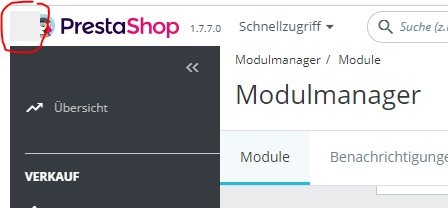
 

spinner.PNG

upgrade.php.xml

knut4shop

knut4shop

Hi @ll,

I have a copy from my production environment for testing upgrades. Once, i have upgraded my test-shop to version 1.7.7.5 i noticed, that i can't use my modul manager. I can't install a modul or connect to to market place, the buttons seams to be inactive. Also the modul search bar does not work. Additional, modul update messages will also not displayed.

If i try to reset or activate a module, the browser opens a new tab with json-formated output like:

Quote

{"<Modul_Name>":{"status":true,"msg":"Aktion Reset beim Modul <Modul_Name> war .","module_name":"<Modul_Name>","is_configurable":true,"action_menu_html":" \u003Cdiv class=\u0022btn-group module-actions\u0022\u003E\n 

....

}}


I also tried to analyze the issue with debugger, but there are no error messages displayed. Finally, i desided to start from new and begins with the smallest upgrade version next from 1.7.6.9 (1.7.7.0 stable). After database upgrade (1.7.6.9 -> 1.7.7.0), i get an Error-Message. I have attached the xml-result-file, but i can't find an error. According to the XML-File, all changes to database where succesfull. The output message informed, there was an error on line 996 but this line is empty. 

I ignored this information an logon to my backend and see, the result is the same. So, in my opinion it must be an issue with version 1.7.7.0 on my site.  On the Modul-Manager-Site I have noticed that the "spinner" does not load. The Web Console reports th follwing error:

default.js?1.7.7.0:7 Uncaught TypeError: $(...).tooltip is not a function
    at HTMLDocument.<anonymous> (default.js?1.7.7.0:7)
    at j (jquery.min.js:2)
    at Object.fireWith [as resolveWith] (jquery.min.js:2)
    at Function.ready (jquery.min.js:2)
    at HTMLDocument.J (jquery.min.js:2)


I'am running out of ideas and hope, that anyone have an idea. 

Thanks a lot to all that can help and sorry for this long text.

spinner.PNG

upgrade.php.xml

×
×
  • Create New...